Companion App
Role: Product Designer
Focus: Information architecture, decision support, companion experiences, and scalable product systems
Team: Solo
Overview
This case study explores how companion experiences can extend gameplay beyond the primary game client. While Part 2 focused on workflow systems within the game world, this project shifts to a dedicated mobile companion application that helps players discover information, organize creative inspiration, and plan gameplay through a collection of purpose-built tools.
PROCESS
The companion app began with a clearly defined product vision centered around three core experiences: a gameplay encyclopedia, a color palette tool, and an equipment optimizer. To accelerate early exploration, I used Figma Make to rapidly prototype an initial interface that established a starting point for the application's navigation, information architecture, and visual direction. As development progressed, the initial prototype served as a foundation that was refined and expanded to support the final companion experience.
Rapid Prototyping
Figma Make accelerated early exploration by quickly visualizing potential interface structures, allowing design effort to focus on refining the overall user experience rather than constructing low-fidelity layouts from scratch.
The initial prototype informed early exploration of:
• Navigation structure
• Information architecture
• Design system foundations
From there, the application was iteratively refined through manual design, including:
• Design system development
• Custom illustration library
• Component architecture
• Encyclopedia workflows
• Palette Studio
• Equipment Optimizer
• Interaction design and prototyping
While the initial prototype accelerated early exploration, the final application was shaped through continued refinement, feature expansion, and design decisions specific to the companion experience.
COMPANION EXPERIENCE MODEL
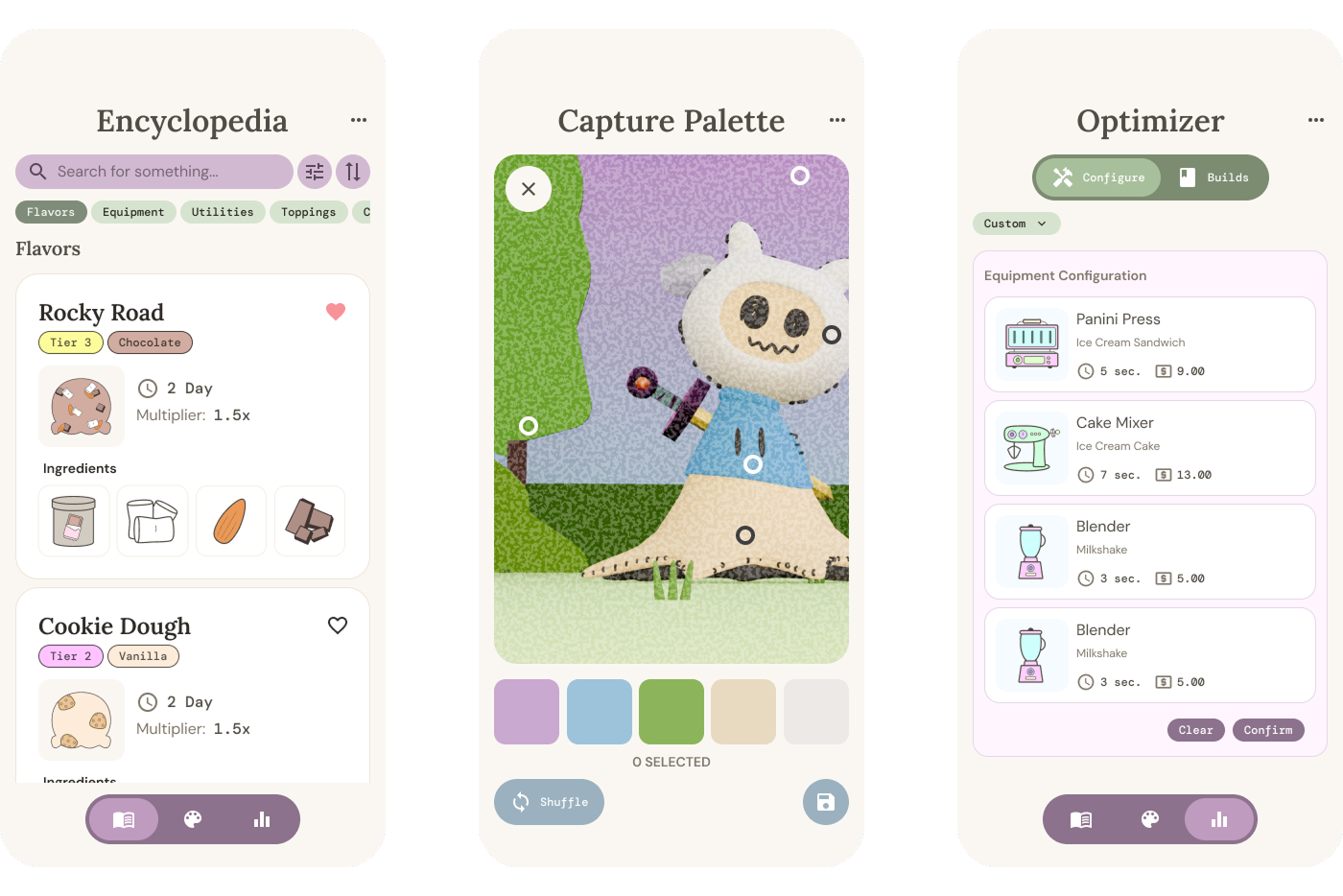
The companion app supports players across three complementary interaction models: reference, creation, and optimization. Each experience addresses a different stage of the player journey while sharing a consistent visual language and interaction framework.
Reference
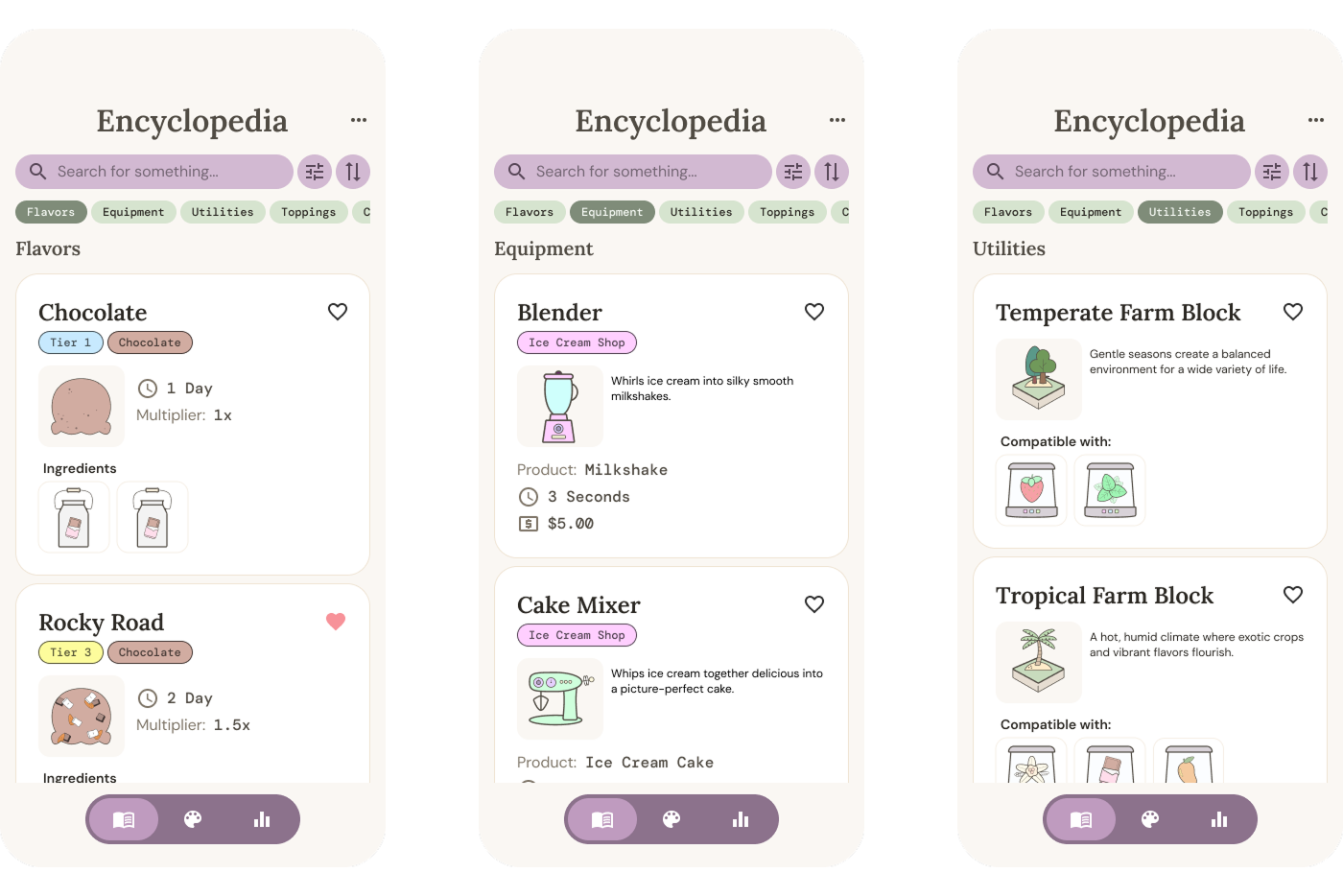
The Encyclopedia provides structured access to gameplay information, allowing players to browse production assets, equipment, and environmental systems through scalable navigation and filtering patterns.
Creation
Palette Studio enables players to capture, organize, and curate color inspiration through reusable boards and palette generation workflows that support environmental customization.
Optimization
The Optimizer allows players to evaluate equipment configurations, comparing production performance and projected session outcomes to support strategic gameplay decisions.
INFORMATION ARCHITECTURE
The Encyclopedia organizes gameplay knowledge through scalable categories and reusable content patterns, balancing discoverability with a flexible structure for future expansion.
Core navigation includes:
• Flavors
• Equipment
• Utilities
• Toppings
• Characters
CREATIVE WORKFLOWS
Palette Studio
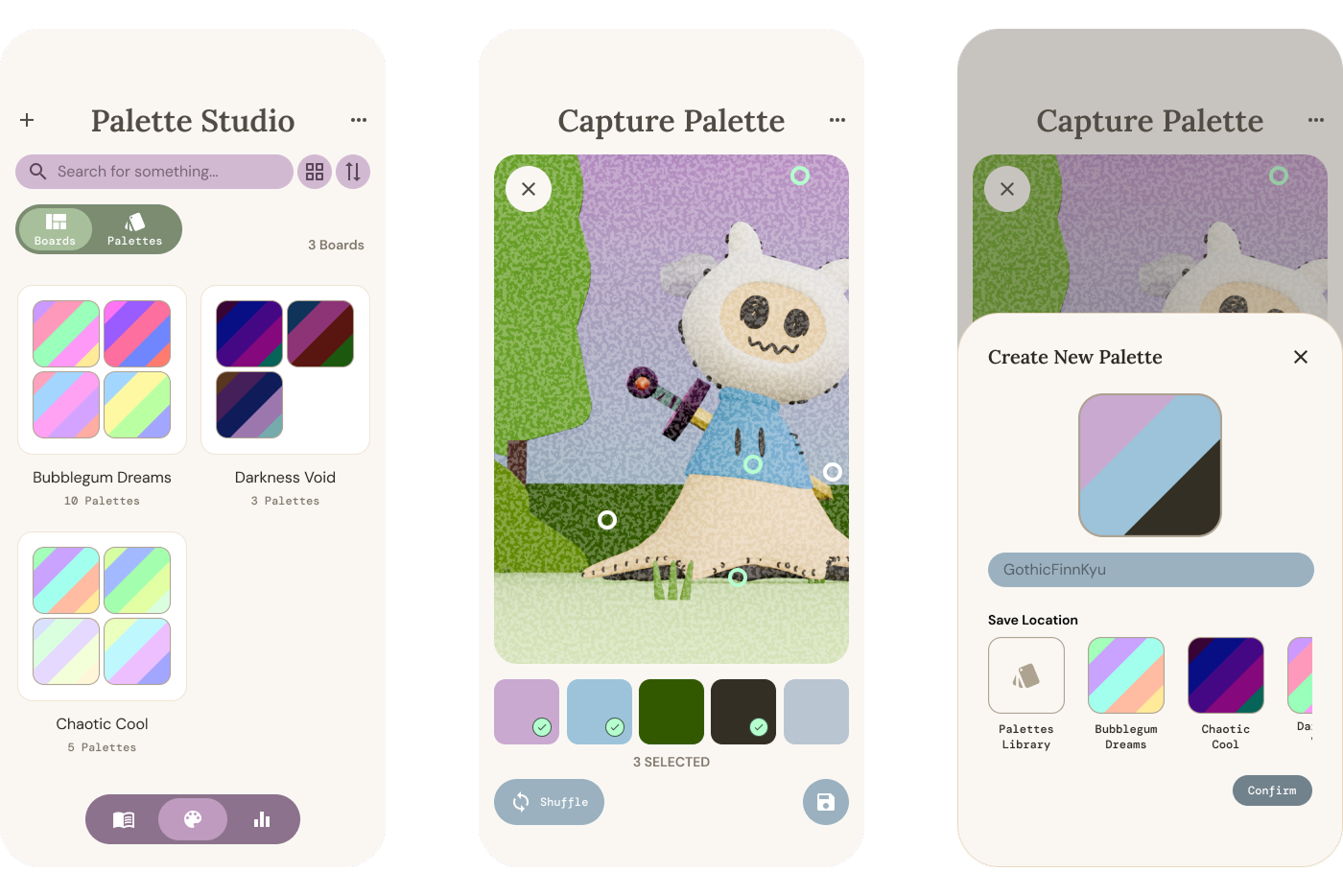
Palette Studio creates a bridge between real-world inspiration and in-game customization by allowing players to capture, refine, organize, and apply color palettes directly to their game environments.
Players can:
• Capture palettes using the camera
• Import existing photos
• Generate and refine color swatches
• Organize palettes into reusable boards
• Export palettes directly into the game for customization
Iterative Color Exploration
Rather than requiring players to restart the extraction process, individual swatches can be selectively regenerated, encouraging experimentation while preserving preferred colors.
DECISION SUPPORT
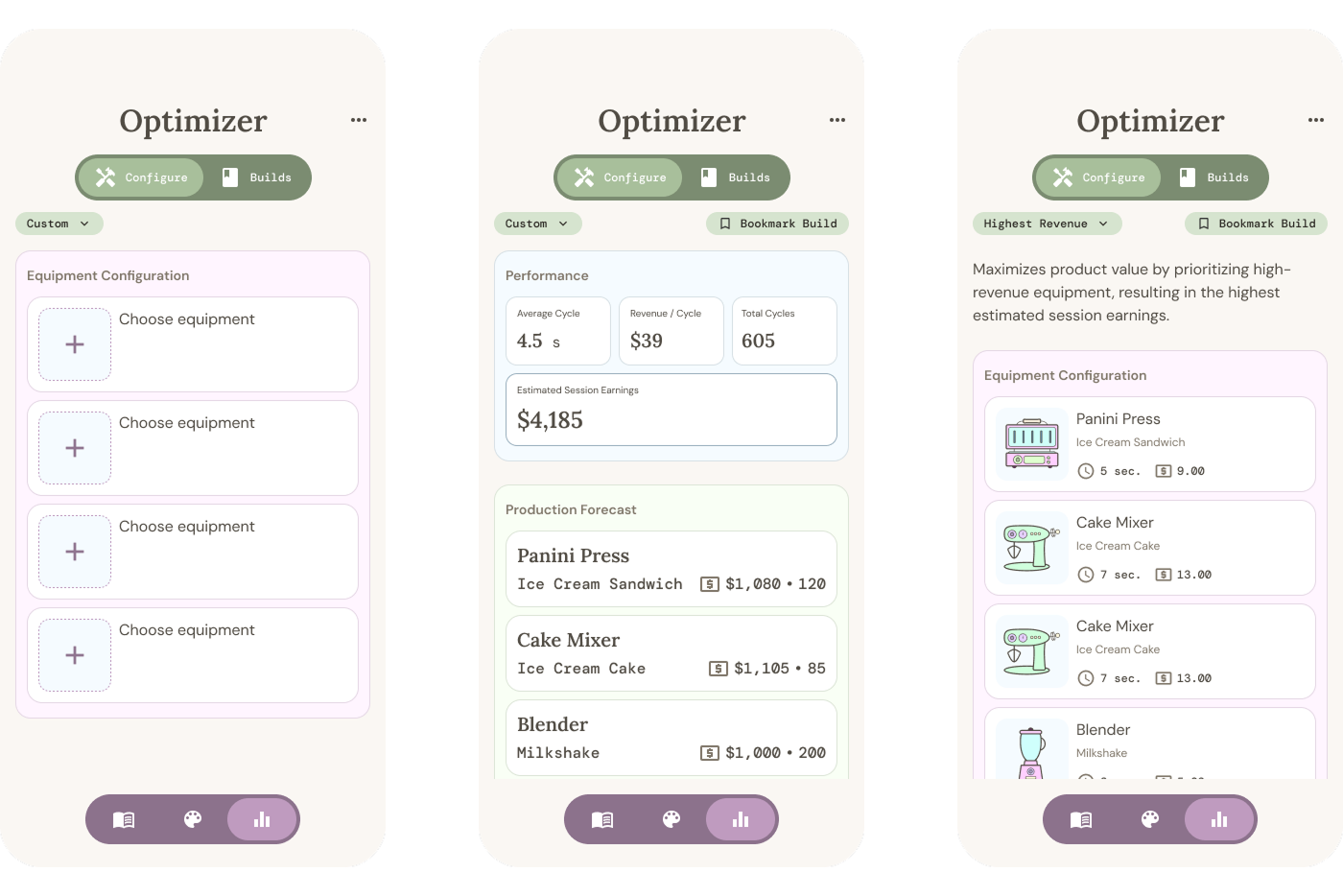
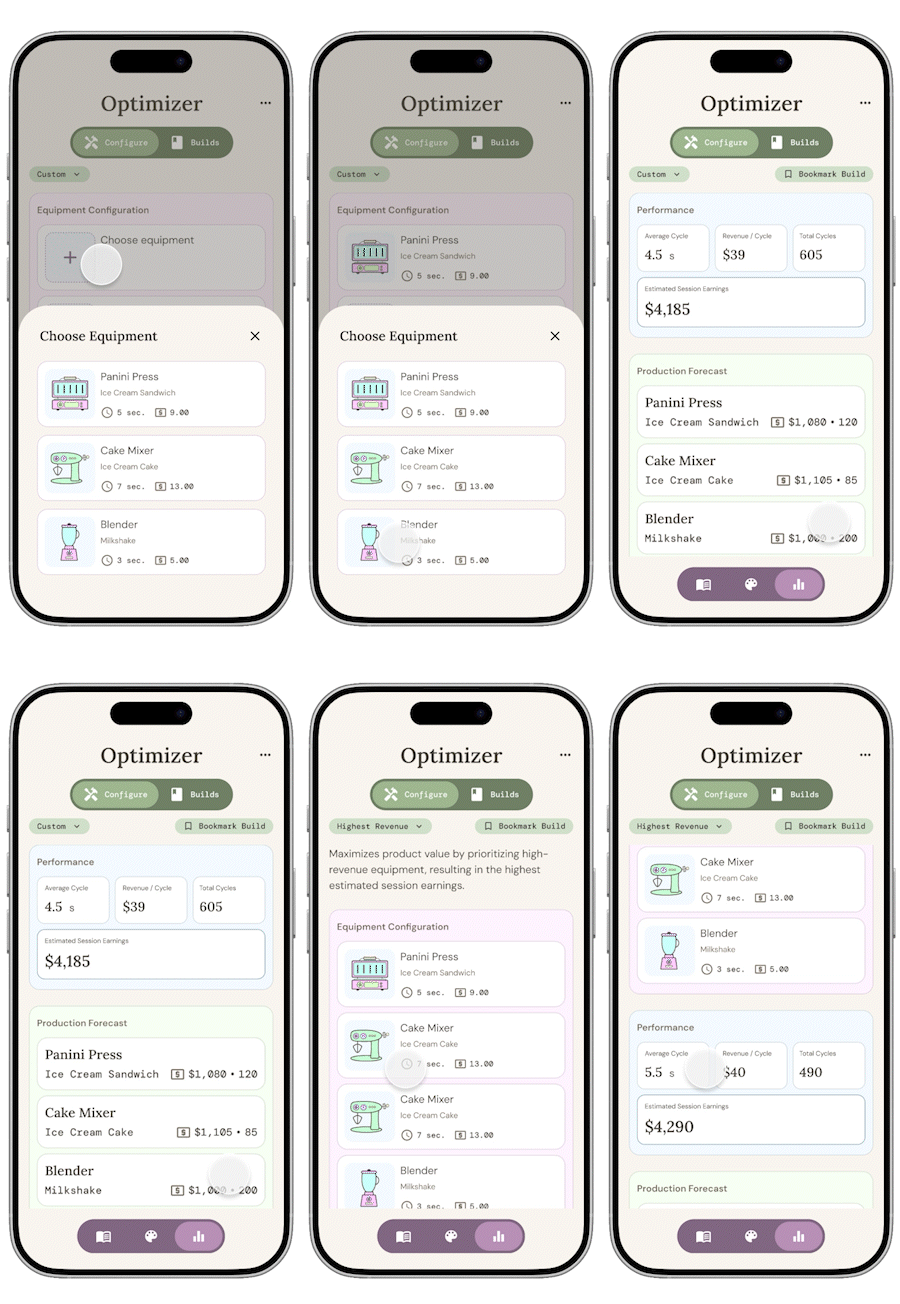
The Optimizer transforms equipment planning into an interactive decision-making experience, allowing players to configure loadouts, explore recommended setups, and compare projected outcomes before committing to a strategy.
Equipment Optimization
Players can create custom equipment configurations or explore recommended loadouts based on different optimization goals. Each setup is evaluated based on production efficiency, projected earnings, and overall performance.
Optimization goals include:
• Highest Revenue
• Fastest Rotation
• Balanced
• Custom Configuration
Performance Simulation
The system estimates projected production outcomes based on the selected equipment configuration, allowing players to evaluate tradeoffs between speed, output, and earnings.
Performance metrics include:
• Average Cycle Time
• Revenue per Rotation
• Total Rotations
• Estimated Session Earnings
DESIGN SYSTEM
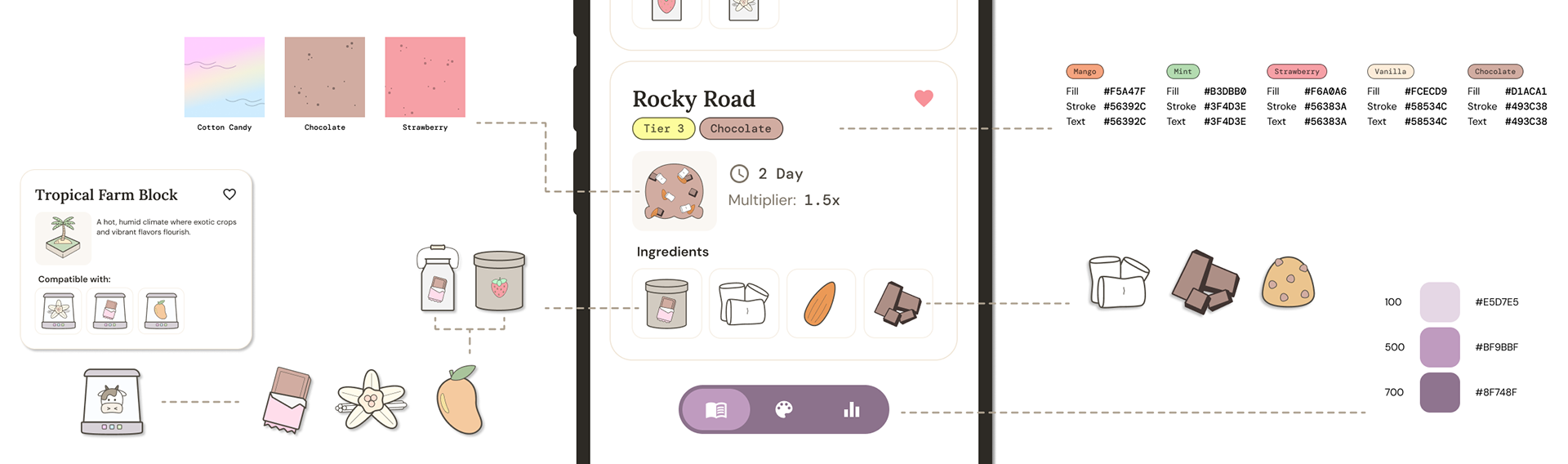
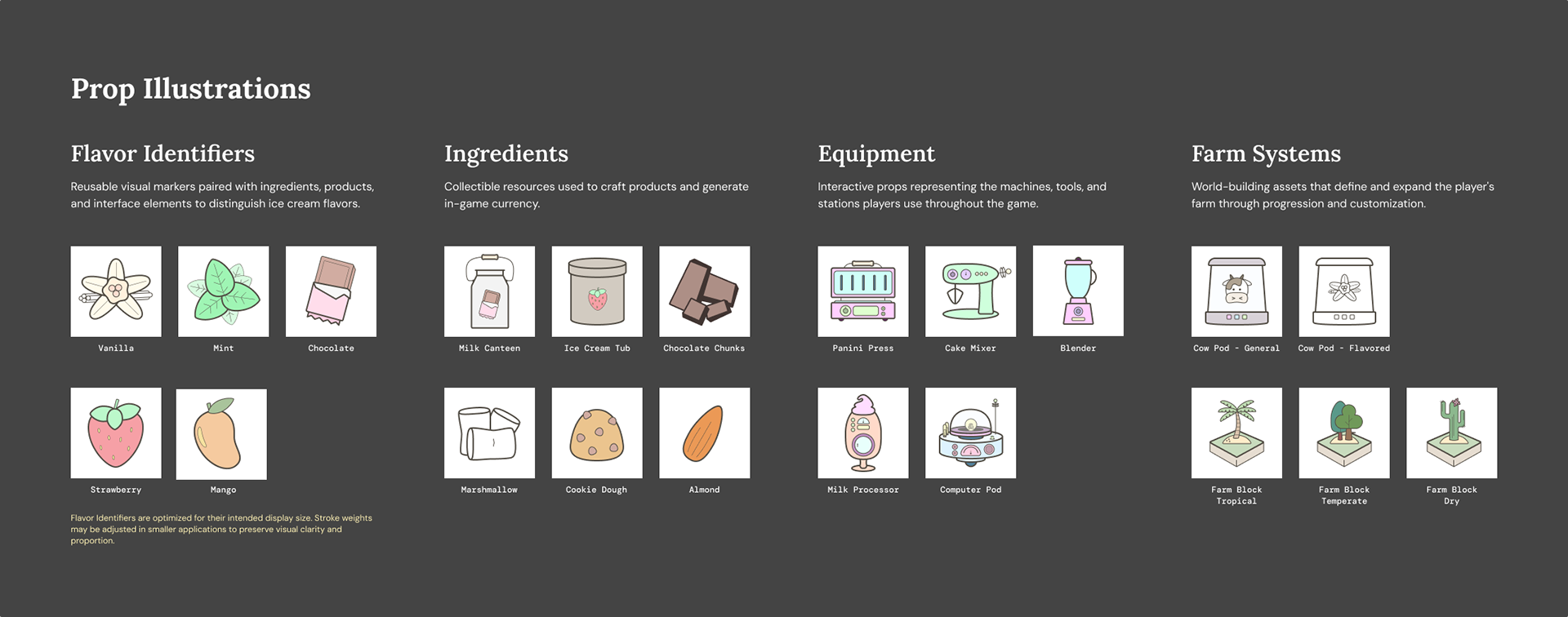
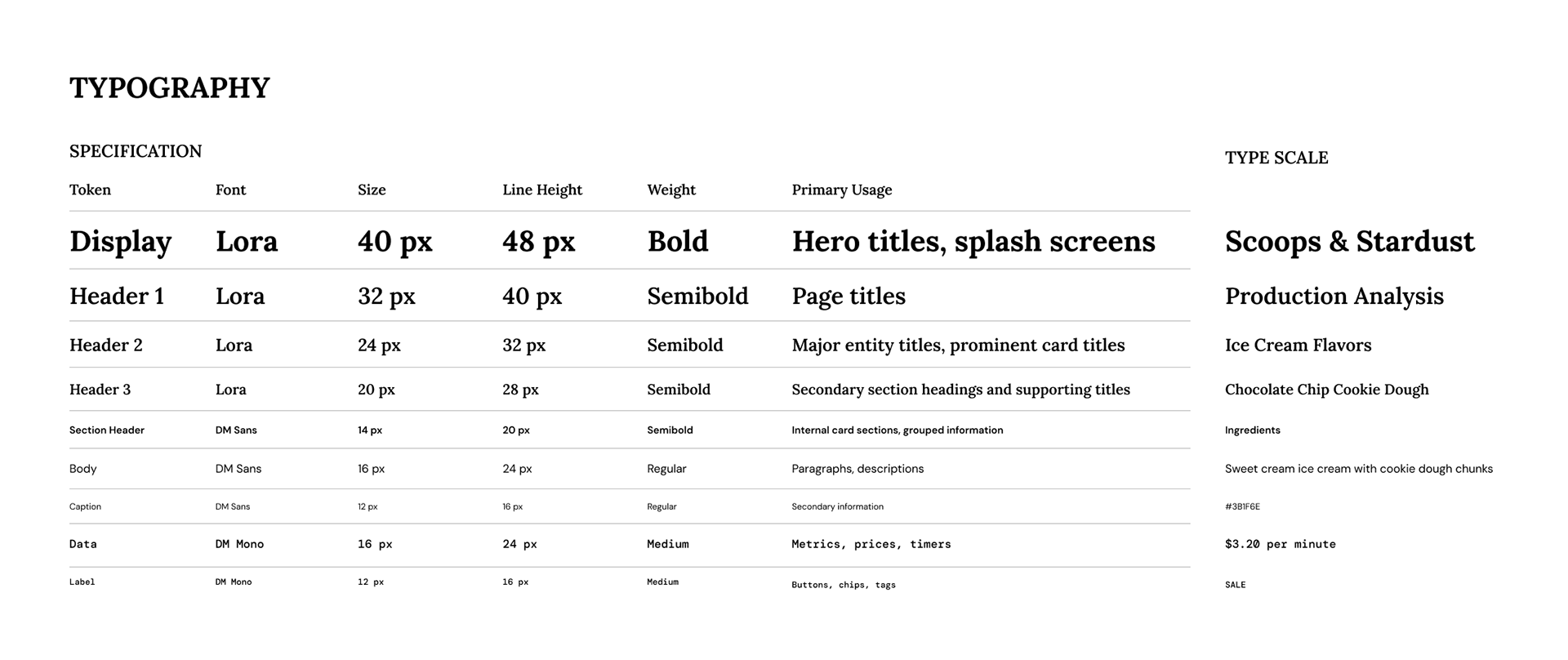
To support multiple companion experiences, the application is built upon a unified design system consisting of reusable visual assets, components, and interaction patterns.
The system includes:
• Color Tokens
• Typography
• Component Library
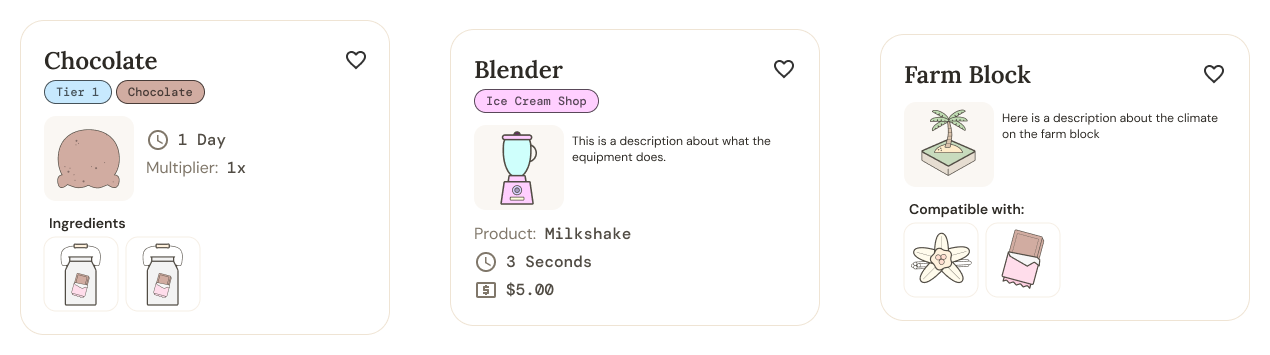
• Reusable Card System
• Custom Illustration Library
Shared components enable consistency across informational, creative, and planning workflows while simplifying future feature expansion.
UX CONSIDERATIONS
Progressive Disclosure
Information is surfaced incrementally, allowing players to explore increasingly detailed content without overwhelming primary navigation.
Consistent Interaction Patterns
Shared filtering, navigation, card layouts, and modal behaviors reduce cognitive load while creating a predictable interaction model across all companion features.
Scalable Architecture
Information structures, reusable components, and design tokens were intentionally designed to support future content expansion without requiring significant structural changes.
Companion-First Experience
Rather than mirroring the primary game interface, each feature was designed around tasks better suited to a mobile device, enabling planning, reference, and creative exploration independently of active gameplay.